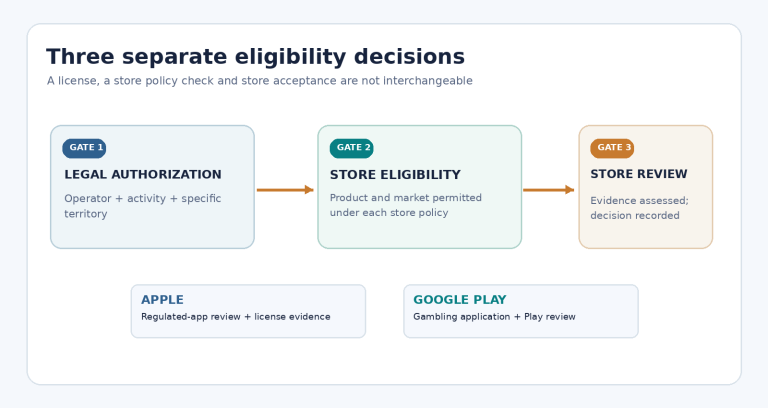
A gambling app ASO checklist should start with accuracy, not keyword density. For an approved real-money gambling app, the store listing must explain what the product does, show the current interface, use permitted claims, and remain consistent across store, language and release version. A polished screenshot cannot repair inaccurate metadata or an unapproved market claim.
Quick answer: Confirm the app is already eligible for the intended territory, inventory every listing field, write one clear proposition per field, storyboard screenshots from actual product screens, verify each material claim, review localized variants, and archive the approved listing with its source evidence. App Store Optimization (ASO) is the process of improving a listing’s clarity and discoverability; it does not replace store approval or guarantee search position.
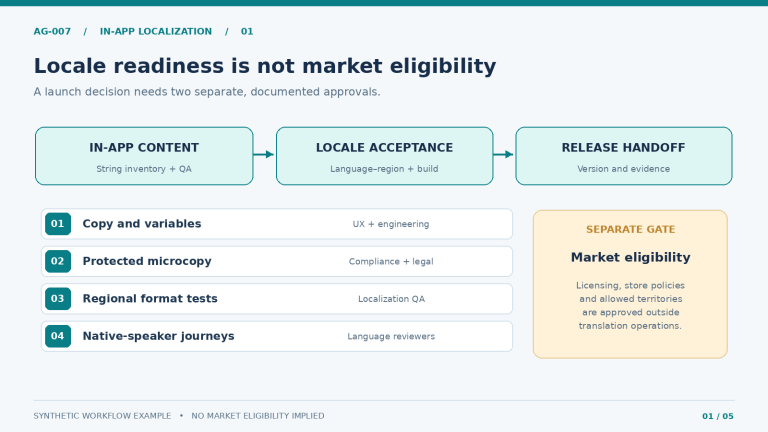
This guide covers production of Apple App Store and Google Play listing content. It assumes distribution and licensing have already been checked. For eligibility, licenses, reviewer documents and geographic controls, use the real-money gambling app submission checklist. In-app translations and string QA belong in the separate gambling app localization workflow.
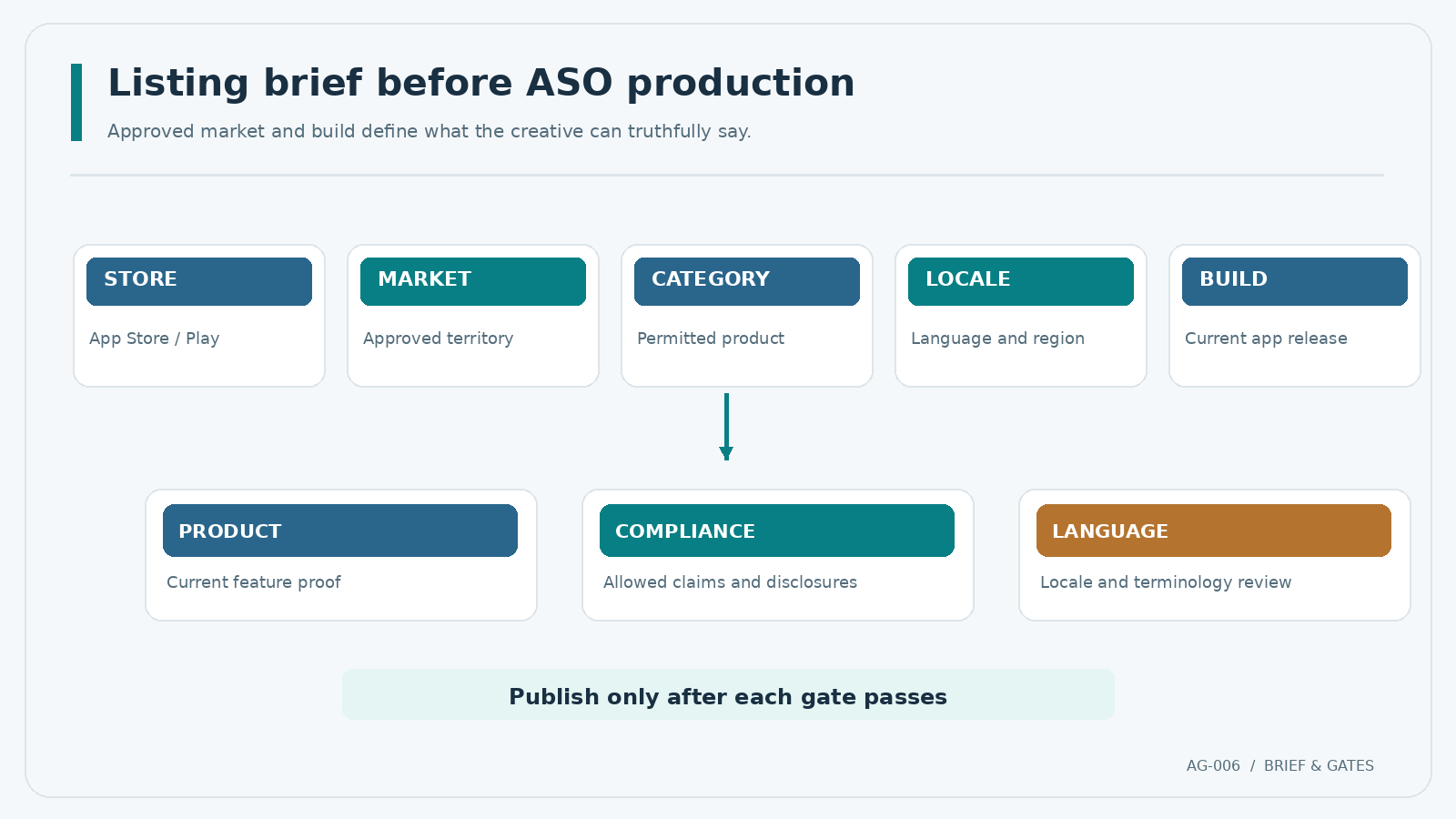
Set the Approved Distribution Scope Before Writing
Start a listing brief with five inputs: store, approved territory, product category, target language and current app build. Add the named publisher, the person authorized to approve claims, and the date on which store policy was checked. If one of these is missing, mark the listing draft as blocked rather than creating copy that implicitly promises wider availability.
Google Play’s gambling policy requires approved gambling listings to display responsible-gambling information. Apple’s rules require permissions and geographic restrictions. These are eligibility constraints, not ASO tactics.
Use a single content owner for the message and separate reviewers for product truth, policy and language. A short approval chain prevents the design team from introducing a new headline that has never been checked against the released build.
Build the Metadata Information Architecture
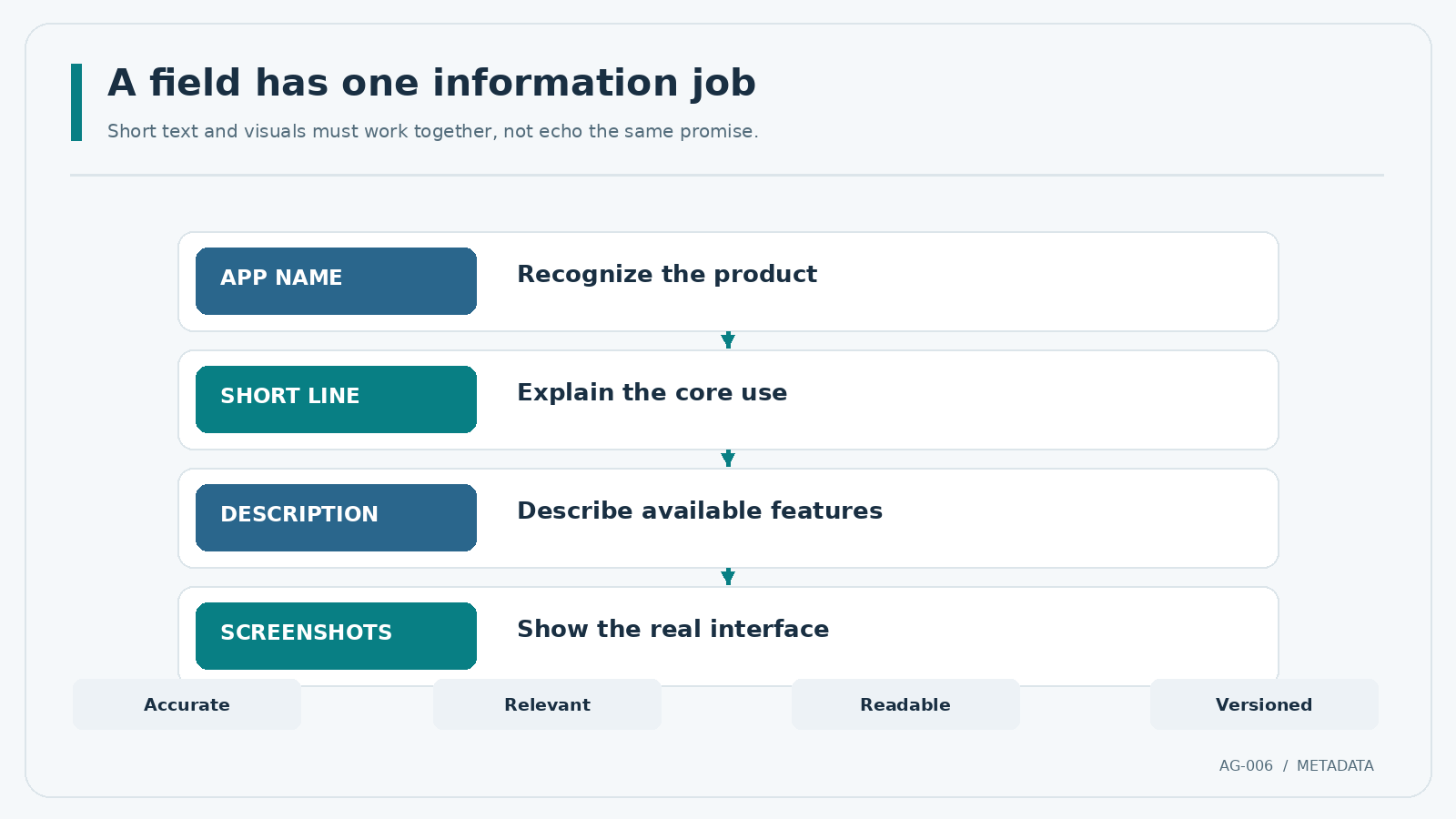
Apple and Google organize listing fields differently. Write content for the specific field instead of pasting one long description everywhere. Store fields have distinct display contexts, character limits and update workflows.
| Listing field | Apple App Store | Google Play | Editorial job |
|---|---|---|---|
| App name/title | Up to 30 characters | Up to 30 characters | Identify the real product; avoid keyword stuffing |
| Short supporting line | Subtitle: up to 30 characters | Short description: up to 80 characters | State a verifiable use or feature |
| Long description | Up to 4,000 characters | Up to 4,000 characters | Explain functions in readable sections |
| Search keyword field | Separate keyword metadata, up to 100 bytes | No equivalent standalone keyword field | Use relevant terms naturally where permitted |
| Updateable promotional field | Promotional text: up to 170 characters | No directly equivalent field | Provide timely, accurate product context |
| Visual assets | Up to 10 screenshots per supported device size | Up to 8 per supported device type | Show the current product experience |
Source: Apple product page guide, App Store Connect metadata reference, Google Play listing setup, and Google preview assets guide. Limits and supported formats can change; verify them before export.
Write names and short descriptions for recognition
The name should match the product people will install. Use the subtitle or short description to give additional context rather than restating the brand or inserting several generic category terms. A descriptive phrase such as “Account and limits tools” is useful only when that capability really exists in the released application. Do not put a draft feature into live listing copy.
Google specifically warns against repetitive keywords, irrelevant references, rankings such as “#1,” and promotional price claims in store-listing material. Apple likewise disallows irrelevant, competing or unauthorized trademark keywords. See Google’s metadata policy and Apple’s product page guidance.
Make the long description easy to verify
Organize paragraphs around actual functions, account controls, support access and important limitations. Avoid synonym-heavy copy and statements that imply universal availability.
Maintain an inventory with field name, locale, copy, character/byte count, supporting screen or specification, reviewer, approval status and listing revision. Counts matter, but a technically valid field can still be rejected if its content is misleading.
Create a Screenshot Storyboard, Not a Gallery of Claims
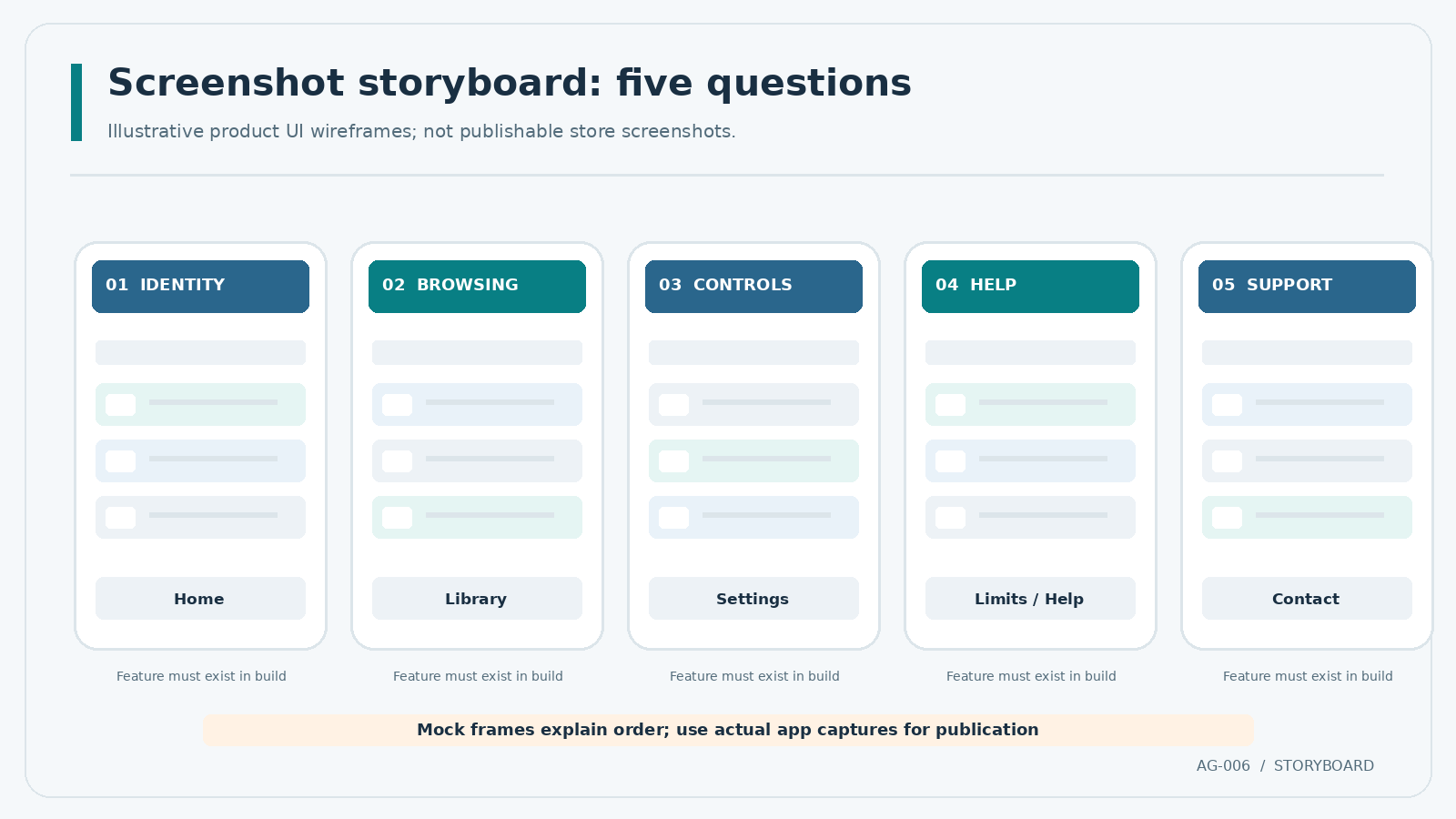
The screenshot sequence should answer what someone can actually do in the app. Capture genuine interface states from the build being distributed. Apple’s review guidelines, section 2.3.3 call for screenshots showing the app in use rather than only title art or a login screen; Google similarly asks for real app or gameplay views in its asset guidance.
The first frames have limited space to establish context. For an adult-only gambling product, neutral product-navigation or account-management screens can be more informative than promotional language. Feature availability and legal disclosures must be reviewed for the market actually served.
| Frame | Suggested screen | Reader question | Evidence and review checkpoint |
|---|---|---|---|
| 1 | Actual home or product navigation | What is this app? | Match current build and permitted product category |
| 2 | Core content browsing, without fabricated outcomes | How is content organized? | Verify visible labels, available markets and rights to imagery |
| 3 | Account settings or controls | Can I manage my account? | Ensure displayed controls work in the shipped build |
| 4 | Limits or help access, where supported | Where are user controls? | Confirm actual navigation and applicable disclosures |
| 5 | Support contact or help center | How can I get assistance? | Verify contact channel and localized copy |
This is an illustrative editorial storyboard, not a platform-mandated sequence. Don’t create fake balances, invented testimonials, simulated winnings or features that cannot be reproduced in the app. Label demonstration data internally; never imply invented customer outcomes publicly.
Size, crop and readability QA
For Apple, consult the live screenshot specification for the exact required device displays and pixel sizes. Google currently requires at least two screenshots for a store listing and a 1024 × 500 pixel feature graphic; its device-specific requirements vary. Do not hard-code a single screenshot resolution for every store and device.
Review at thumbnail size, check overlays on narrow screens, and inspect text after localization. Google recommends minimal taglines and no direct install calls to action in screenshots.
Substantiate Claims Before Creative Approval
Every claim needs a source of truth. Product functionality can be checked against a released build, customer-service hours against an approved service policy, and availability language against a territory-specific compliance decision. The source should be recorded in a claims register rather than remembered from a meeting.
Separate product facts (“the settings screen includes account controls”), conditional statements (“availability varies by location”), and unverifiable promotional claims (“the safest app,” “guaranteed wins,” “#1”). The third category should not be published. Do not reword an unsupported claim until it sounds safer; remove it or secure adequate evidence and compliance sign-off.
For gambling listings, claims review must also cover whether content could be inappropriate for a broad store audience. Apple’s metadata rule 2.3.8 applies its 4+ content-suitability requirement to screenshots and previews even when the actual app has a higher age rating. Google requires the approved gambling app’s listing to display responsible-gambling information. Consult the specific platform rules; do not assume the two metadata policies are identical.
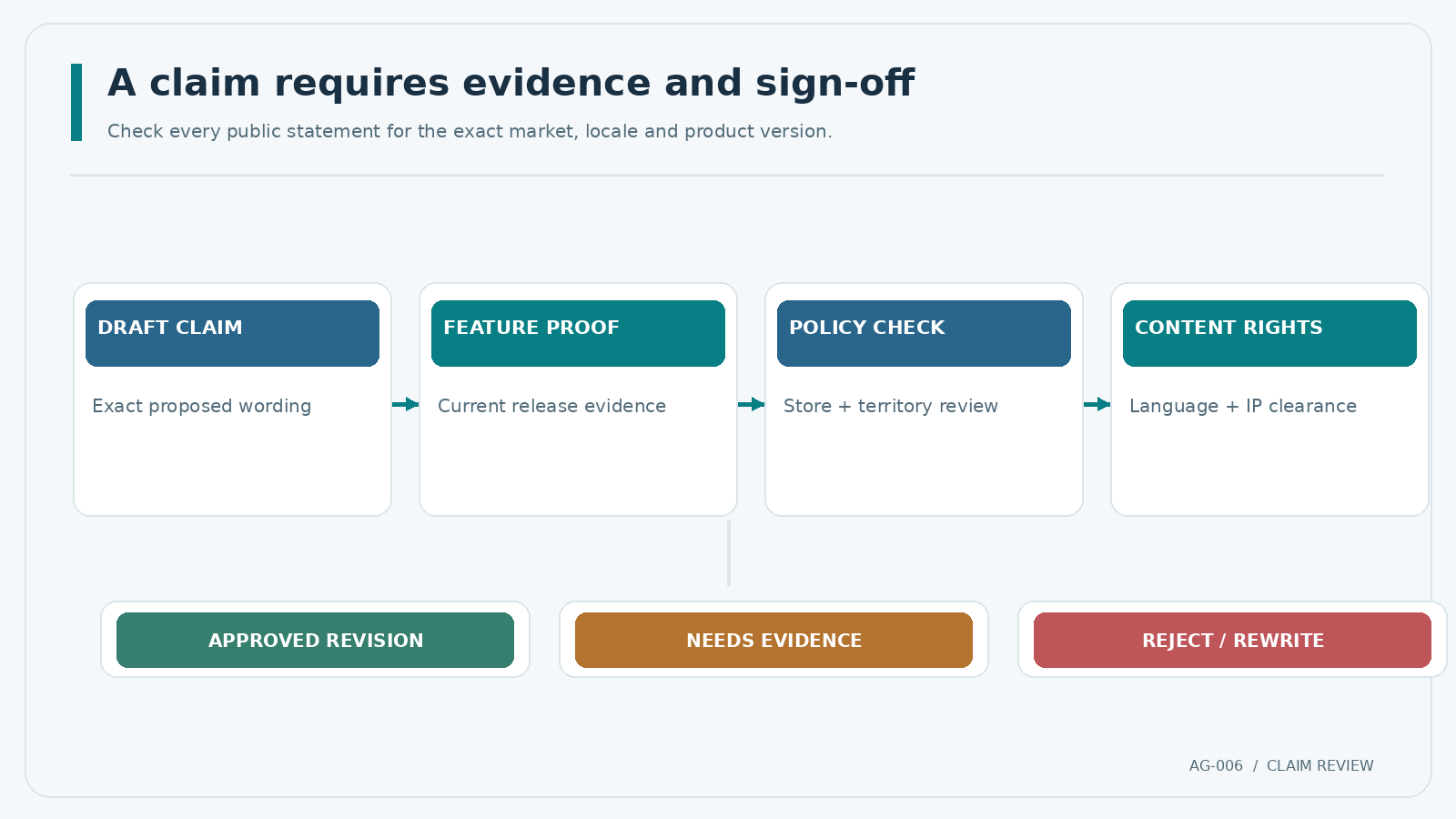
A practical claims review has four gates:
- Feature proof: link to a release ticket, approved specification or reproducible screen in the current build.
- Policy proof: check the current store rule and the territory-specific legal interpretation where needed.
- Content proof: confirm language, rights to screenshots, logos, copy and any third-party marks.
- Final sign-off: record the reviewer, date and exact revision to prevent late unapproved edits.
Localize the Store Listing Without Losing Control
Store-listing localization is separate from the product’s internal string-production process. A listing translator needs the live product name, approved features, restrictions, screenshot context and prohibited claims for each destination market. A literal translation of a headline can exceed field limits or imply a service that is not available in that locale.
Give each store/locale team source text, limits, screenshot order, approved terms, version ID and reviewers. Recheck text lengths and the visible UI after translation.
Google supports custom store listings and store listing experiments in some publishing workflows; Apple offers Product Page Optimization for eligible published apps. These are different mechanisms, not interchangeable publishing controls. Their availability and treatment review requirements should be confirmed in Google Play Console guidance and Apple’s product page optimization documentation. Any experiment must keep claims accurate and remain within the already approved distribution scope.
Control Versions and Measure What Changed
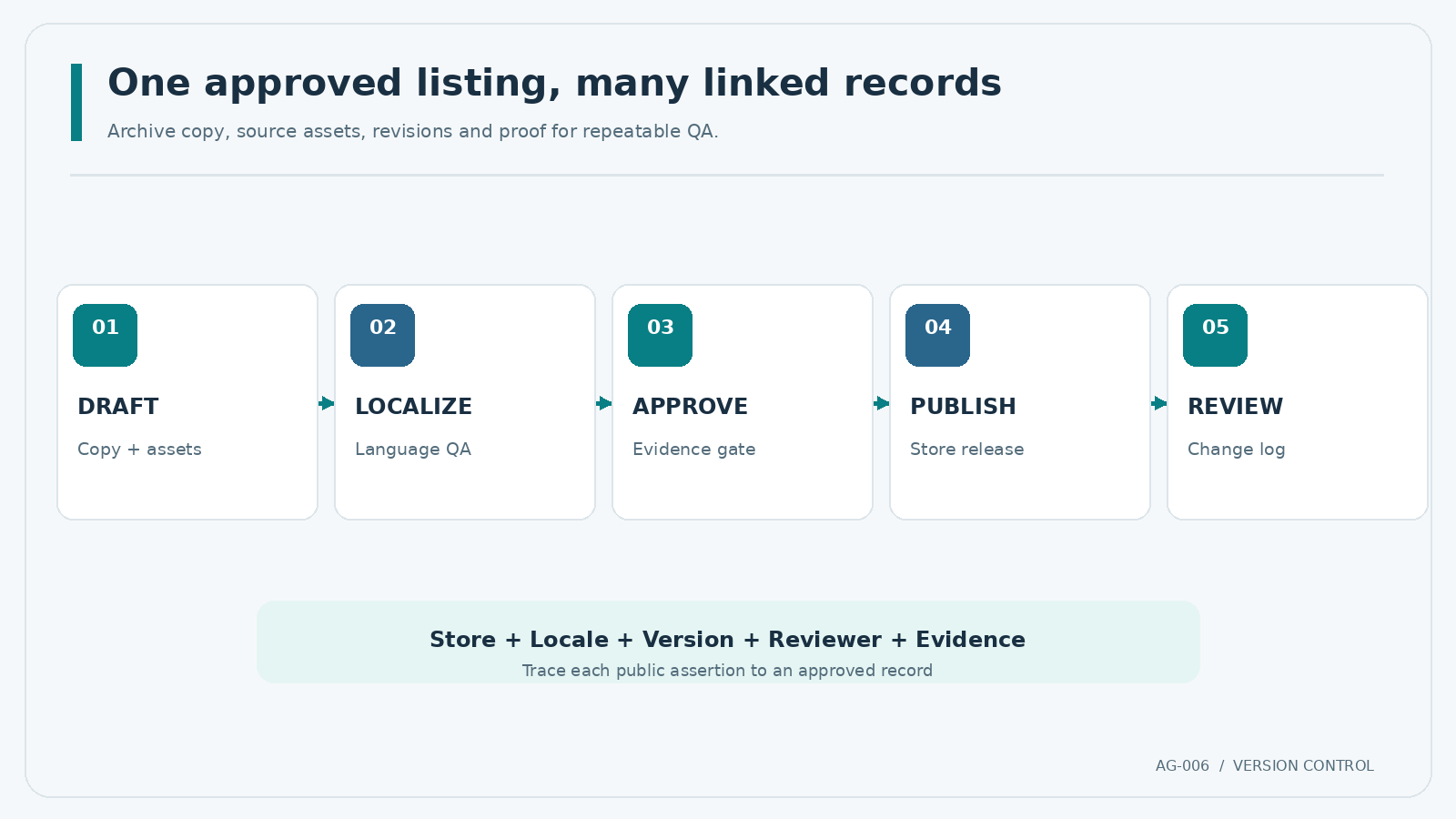
Keep listing revisions linked to app releases. Record filenames, locale, store, screenshot position, evidence, reviewer and date. Archive editable sources alongside exports.
Use a change record that states what was modified, why it was modified, what evidence supports it, and whether re-review is needed. When performance data is available, compare like with like: same store, territory, locale and reporting window. A different country mix or application version can explain a change that has little to do with the creative.
A/B testing may help evaluate listing variants, but it is not proof of causation when traffic is tiny, treatment scope changes, or experimental conditions differ. Document the test hypothesis, control, asset, metric and decision; never invent conversion lifts.
Store-Page QA Checklist Before Publishing
Use this last pass on every store-and-locale combination. A passed check means the actual material was inspected, not that a template was merely filled in.
| Control | Pass condition | Owner |
|---|---|---|
| Distribution boundary | Approved store, territory, category and entity recorded | Publisher / compliance |
| Names and descriptions | Within the current platform limits; accurate and readable | ASO editor |
| Keyword and trademark review | Terms are relevant and rights are documented where needed | ASO / legal |
| Screenshots | Real current build, valid dimensions, correct order and device family | Design / QA |
| Claims and disclosures | Product evidence and required responsible-gambling information checked | Product / compliance |
| Localization | Every visible string, visual overlay and link reviewed for the locale | Localization lead |
| Supporting links | Privacy, support and other required destinations work | Release QA |
| Revision and approval | Final asset hashes or filenames and sign-offs recorded | Publisher |
Release rule: A failed mandatory policy or factual-accuracy check blocks publication. Do not average these checks into a marketing score. The downloadable workbook accompanying this article separates evidence status, screenshot storyboard and release approval so a team can see unresolved work at a glance.
Frequently Asked Questions
What is ASO for a real-money gambling app?
It is the production and improvement of a store listing’s metadata and visual presentation for an already eligible gambling app. It includes accurate names and descriptions, real screenshots, localized store content and controlled revisions. It does not grant gambling licenses or store distribution rights.
How many screenshots should a gambling app listing have?
Apple allows up to ten per relevant device size; Google Play allows up to eight per supported device type and requires a minimum for publication. The right number for the storyboard depends on the actual features and current device-specific rules. Add a screenshot only when it answers a meaningful product question.
Can gambling apps use promotional claims in screenshots?
Claims must be truthful, provable, appropriate for the store audience and compliant with the applicable gambling and metadata policies. Avoid fabricated outcomes, rankings, pricing promotions and calls to action prohibited by a platform. Review each localized variant separately.
Does adding more keywords guarantee higher app-store rankings?
No. The stores give field-specific metadata guidance, but neither publishes a guaranteed formula for rankings. Relevance, accuracy and a useful product page are actionable editorial goals; predicted keyword volume or ranking lifts require market-specific evidence.
When should a listing be updated?
Update it when the release changes what a screenshot or description shows, when a verified policy or territory requirement changes, or when a documented test supports a clearer presentation. Keep approval and asset history so every change remains auditable.
Editable resources: ASO listing checklist (Excel); screenshot storyboard (CSV). These templates contain example inputs and require project-specific review before operational use.
Official Sources and Next Steps
Official references checked 3 November 2026: Apple product page, Apple review guidelines, Apple screenshot specifications, Google Play listing setup, Google Play metadata policy, Google Play preview assets, and Google Play real-money gambling policy.
Treat this page as an editorial production checklist, not legal or platform approval. Confirm every market-specific claim with the publisher and qualified counsel. Where a screenshot includes limits, help or account controls, coordinate product copy with the responsible gambling UX requirements before the next release.